
Download LAN Drive – Secure, Free, Lightweight File Sharing Tool for Windows, Mac, and More
LAN Drive is a powerful, secure, and free file-sharing application designed for Windows users who want to access shared folders and files across their local network with ease. Developed by webrox, this lightweight software allows you to connect to other devices on your network—such as computers, servers, NAS units, or media players—without complex configurations. Whether you're a home user, small business owner, or IT professional, LAN Drive simplifies file access with a clean, intuitive interface and robust security features.
It supports SMB and CIFS protocols, ensuring compatibility with a wide range of devices and operating systems. With LAN Drive, you can quickly map network drives, transfer large files, and manage shared resources from any device on your network. The app is fully functional, free to download, and updated regularly for optimal performance and security.
Perfect for remote work setups, media streaming, or collaborative projects, LAN Drive brings the power of network file sharing to your fingertips—without the hassle.
Seamless Network File Access with a Modern Interface
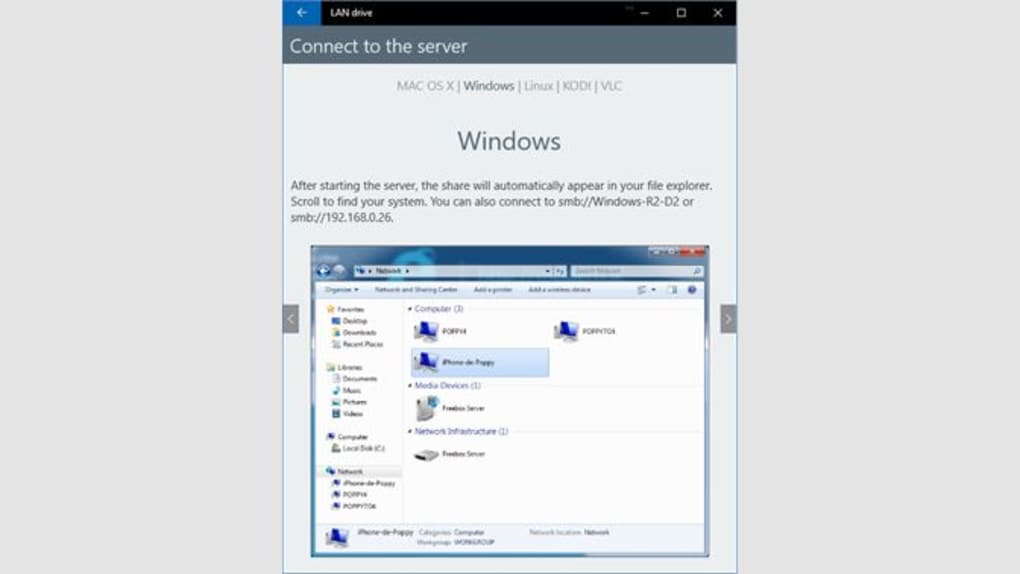
One of the standout features of LAN Drive is its user-friendly interface, which makes navigating your local network a breeze. Unlike traditional file managers that require advanced knowledge of network protocols and IP addresses, LAN Drive abstracts the complexity behind a clean, modern dashboard. Upon launching the app, you’re greeted with a real-time list of all devices detected on your local network—complete with device names, IP addresses, and shared folders. This visibility eliminates the guesswork involved in connecting to remote resources.
Connecting to a shared folder is as simple as a single click. The app automatically detects available shares and allows you to map them as virtual drives (like “Z:” or “D:”) for quick access. This feature is especially useful for users who frequently transfer large files—such as video projects, backups, or shared work documents—between devices. Whether you're accessing a media server from your laptop or retrieving files from a colleague’s PC, LAN Drive ensures a smooth, lag-free experience.
Additionally, the app includes a search function that lets you find specific files or folders across multiple network devices instantly. This is a game-changer for users managing large networked storage systems. With built-in filters and sorting options, you can quickly narrow down results by file type, date, or size. The interface is fully responsive and optimized for both high-resolution monitors and smaller screens, making it ideal for use on desktops, laptops, and even tablets connected to your network.
Secure, Reliable, and Compatible Across Devices
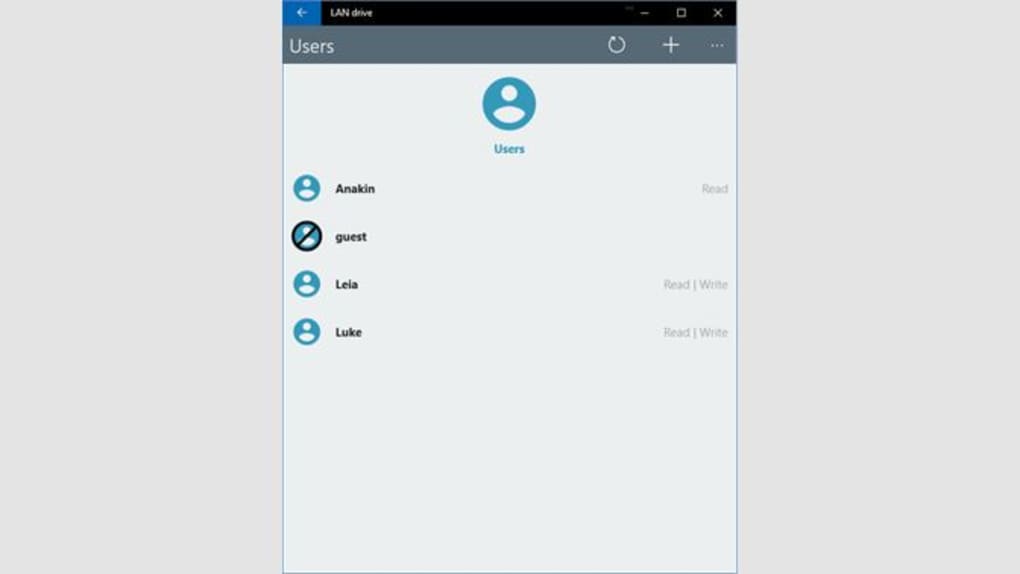
Security is a top priority with LAN Drive, and the developers have implemented several layers of protection to ensure your data remains safe during transmission and access. The app supports encrypted connections using industry-standard protocols, helping prevent unauthorized access or data interception on your local network. Each shared folder can be password-protected, and users must authenticate before gaining access—adding an essential layer of control for shared environments.
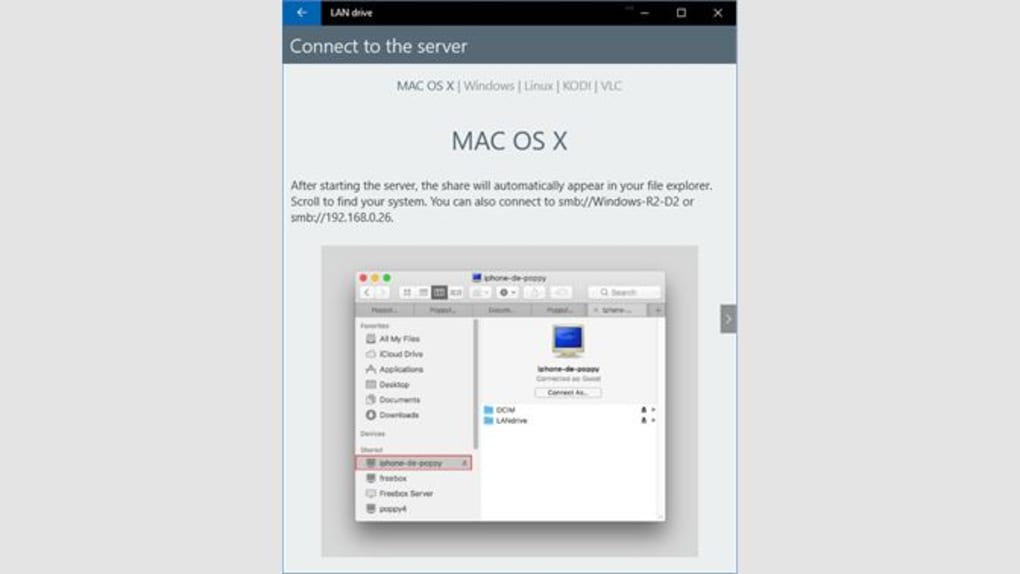
LAN Drive is compatible with Windows 11 and later versions, ensuring it runs smoothly on modern systems. While the current version is optimized for Windows, the underlying technology supports SMB and CIFS, which are widely used across Mac, Linux, and even some smart TVs and NAS devices. This means you can use LAN Drive to access shared resources from a Mac or Linux machine, provided they’re configured to allow SMB connections.
For users managing mixed environments, this cross-platform compatibility is a major advantage. Whether you’re in a small office with both Windows and Mac computers or setting up a home media center with a Raspberry Pi or Synology NAS, LAN Drive integrates seamlessly. The software is lightweight—using minimal CPU and RAM—so it won’t slow down your system, even when running in the background. It also supports automatic updates, ensuring you always have the latest security patches and performance improvements.
Why LAN Drive Stands Out Among File Sharing Tools
When compared to other file-sharing tools like Windows File Explorer’s network discovery or third-party apps, LAN Drive offers a more streamlined and secure experience. While Windows has built-in network sharing, it often requires manual configuration, firewall adjustments, and troubleshooting. LAN Drive eliminates these steps with a one-click setup and automatic device detection.
Another major advantage is its focus on simplicity without sacrificing functionality. Unlike bulky enterprise solutions, LAN Drive is designed for everyday users who want fast, reliable access to shared files. It doesn’t bombard you with unnecessary features—just the essentials: discover devices, connect to shares, map drives, and secure access.
For small businesses and home users, this means less time spent on IT issues and more time spent on productivity. IT professionals can use it to quickly troubleshoot network access issues or set up temporary file-sharing setups during system migrations. The app’s lightweight nature also makes it ideal for older hardware or low-power devices like Raspberry Pi or network-attached storage units.
Pros and Cons at a Glance
- Pros:
- Free to download and use with no hidden fees
- Lightweight and fast, with minimal system resource usage
- Easy-to-use interface with real-time network discovery
- Supports SMB and CIFS protocols for broad compatibility
- Includes password protection and encryption for secure access
- Automatic updates for security and performance
- Perfect for home users, small offices, and IT professionals
- Cons:
- Currently only available for Windows (no native Mac or Linux version)
- Interface is limited to English only
- Advanced features (like scripting or automation) are not yet available
- Not designed for large-scale enterprise networks
- Requires network discovery to be enabled on target devices
Frequently Asked Questions (FAQ)
Is LAN Drive free to download and use?
Yes, LAN Drive is completely free to download and use. There are no trial periods, subscription fees, or hidden costs. The full version is available at no charge, making it an excellent choice for budget-conscious users and small teams.
Does LAN Drive work on Windows 10 and older systems?
LAN Drive is officially supported on Windows 11 and later versions. While it may run on Windows 10, compatibility is not guaranteed due to changes in network stack behavior and security policies. For the best experience, we recommend using it on Windows 11 or newer.
Can I use LAN Drive to access files from a Mac or Linux device?
Yes, you can access shared folders from Mac and Linux devices as long as they are configured to allow SMB/CIFS connections. LAN Drive detects these devices on your network and lets you connect securely. However, the app itself is only available for Windows.
Is LAN Drive secure when accessing files over a local network?
Absolutely. LAN Drive uses encrypted connections and supports password-protected access to shared folders. This ensures that only authorized users can access your files, reducing the risk of data leaks or unauthorized access on your network.
How do I update LAN Drive to the latest version?
LAN Drive includes an automatic update feature that checks for new versions in the background. When an update is available, you’ll receive a notification and can install it with a single click. This ensures you always have the latest security patches and performance improvements.
Final Verdict: A Must-Have for Local Network File Sharing
If you're looking for a fast, secure, and free way to access shared files across your local network, LAN Drive is an excellent choice. Its intuitive interface, strong security features, and lightweight design make it ideal for home users, small businesses, and IT professionals alike. While it currently only supports Windows and is limited to English, its core functionality is robust and well-executed.
For anyone tired of the complexity of traditional network file sharing, LAN Drive delivers a modern, hassle-free solution. Whether you're transferring media files, backing up documents, or collaborating on projects, this tool simplifies the process. With regular updates and a growing user base, LAN Drive is poised to become a go-to app for local network management.
Ready to streamline your file sharing? Download LAN Drive today and experience seamless, secure access to your network resources—no technical expertise required.







